Features
Study Guides
Your Whole Course, Turned Into One Guide that Actually Makes Sense
Your Whole Course, Turned Into One Guide that Actually Makes Sense
Your Whole Course, Turned Into One Guide that Actually Makes Sense
Upload your lectures, notes or any files and Quzon reads all of it — then hands back one clean, structured guide that explains every concept, defines every key term, and draws the diagrams the hard parts need. It's the foundation the rest of your study set is built on.
Upload your lectures, notes or any files and Quzon reads all of it — then hands back one clean, structured guide that explains every concept, defines every key term, and draws the diagrams the hard parts need. It's the foundation the rest of your study set is built on.
Not a Summary. A Guide You Can Learn From.
Not a Summary. A Guide You Can Learn From.
Not a Summary. A Guide You Can Learn From.
A summary tells you what was said. A study guide teaches it back to you — organised, explained, and visual where it counts. Quzon turns whatever you upload into exactly that.
A summary tells you what was said. A study guide teaches it back to you — organised, explained, and visual where it counts. Quzon turns whatever you upload into exactly that.
Reads Everything
Lectures, notes, or other files go in, and nothing important gets skipped — even across a hundred-page reading.
Explains, Doesn't Shorten
Every section is written in clear, plain language at the level a good tutor would use — not a bullet-point dump you still have to decode.
Draws the Hard Parts
Where a concept is easier seen than read, Quzon builds the flowchart, timeline or comparison graphic for you, right inline.
Reads Everything
Lectures, notes, or other files go in, and nothing important gets skipped — even across a hundred-page reading.
Explains, Doesn't Shorten
Every section is written in clear, plain language at the level a good tutor would use — not a bullet-point dump you still have to decode.
Draws the Hard Parts
Where a concept is easier seen than read, Quzon builds the flowchart, timeline or comparison graphic for you, right inline.
Everything in Your Material, in One Place
Quzon doesn't cherry-pick. It works through your entire source — and for big uploads it goes section by section in multiple passes, so a dense 80-page PDF comes back as complete as a single lecture. One guide, the full picture.
Dedicated sections covering the topic(s) end to end
Multi-pass reading for large files — nothing dropped
A short overview up top so you know exactly what you're walking into


Built to Make It Stick, Not Just to Be Read
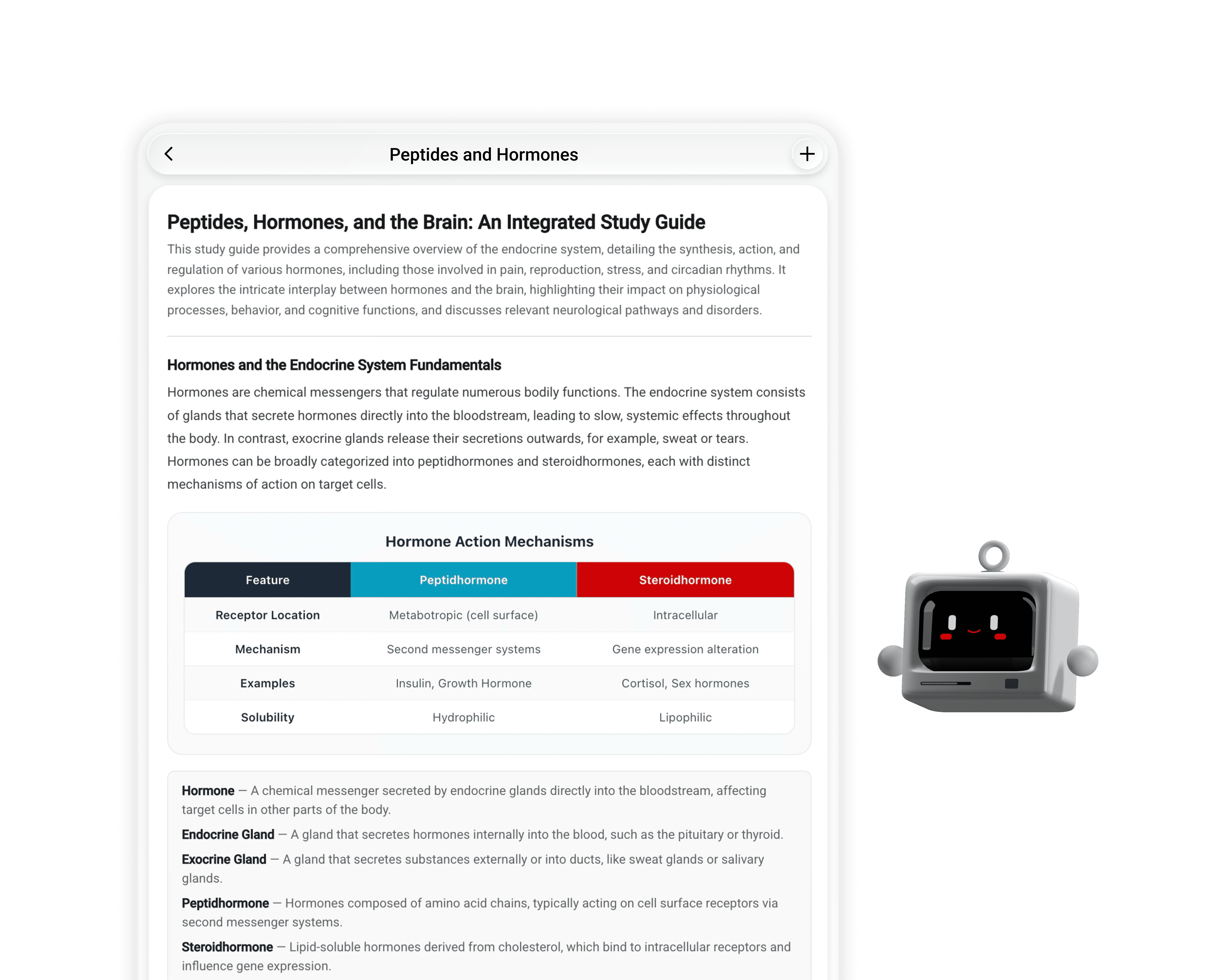
Every section comes loaded with the things that turn reading into remembering: key terms defined in context, practical study and exam tips, and infographics for the concepts that only click when you see them.
Key terms and definitions pulled out in every section
Study tips, memory aids and exam advice called out inline
Auto-built diagrams — flowcharts, timelines, cycles, comparisons
One Guide with Every Other Format on Tap
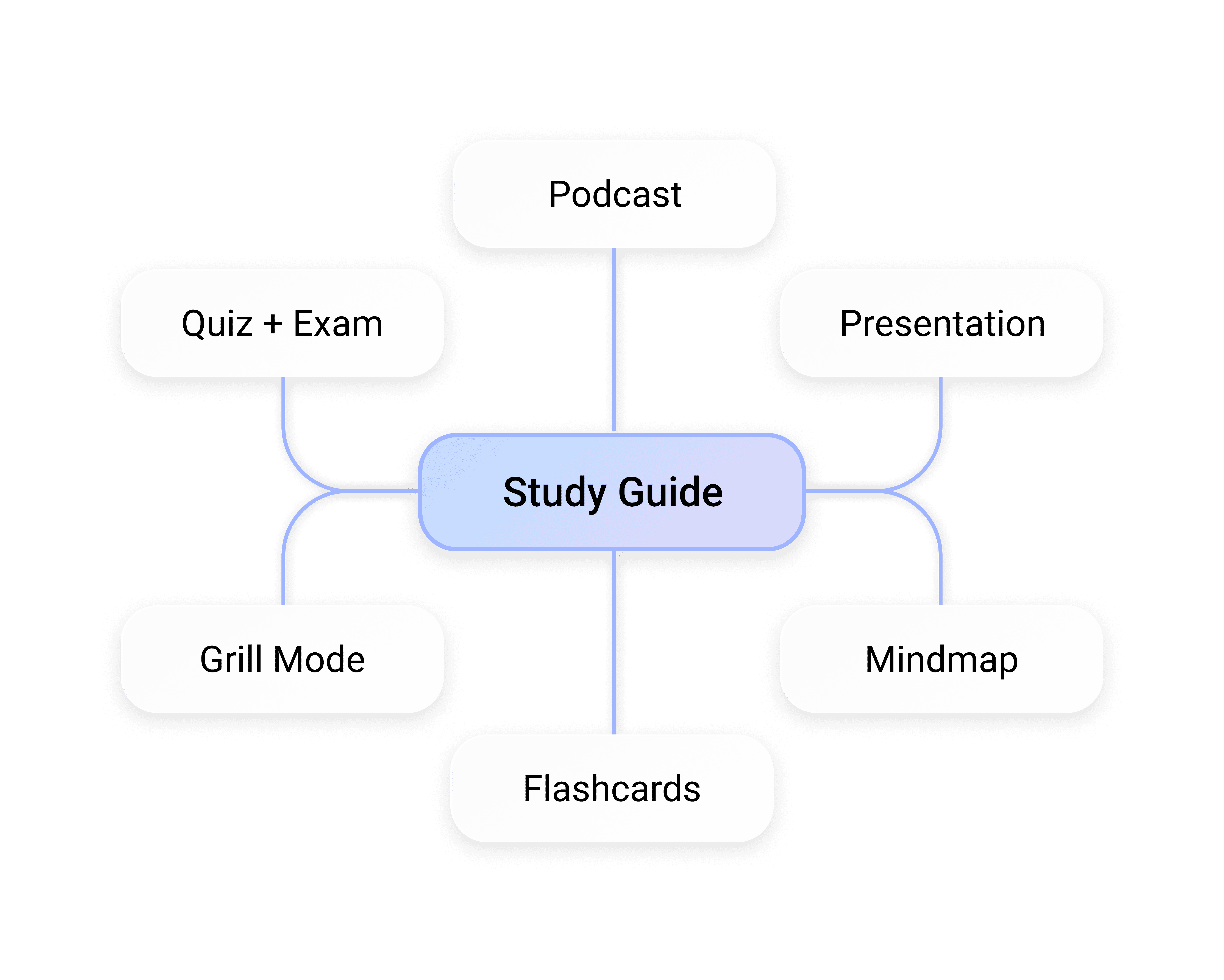
This is the part other apps don't have. Your study guide isn't a dead end — it's the source. From the guide, generate flashcards, a quiz, a mindmap, a podcast, a presentation or a full mock exam, every one built from this exact material, so everything you study reinforces the same thing.
Generate study materials and tests directly from guides
Everything stays grounded in your source — no drift, no filler
One-tap Focus Mode when you just need to put your head down and read

Everything in Your Material, in One Place
Quzon doesn't cherry-pick. It works through your entire source — and for big uploads it goes section by section in multiple passes, so a dense 80-page PDF comes back as complete as a single lecture. One guide, the full picture.
Dedicated sections covering the topic(s) end to end
Multi-pass reading for large files — nothing dropped
A short overview up top so you know exactly what you're walking into
Built to Make It Stick, Not Just to Be Read
Every section comes loaded with the things that turn reading into remembering: key terms defined in context, practical study and exam tips, and infographics for the concepts that only click when you see them.
Key terms and definitions pulled out in every section
Study tips, memory aids and exam advice called out inline
Auto-built diagrams — flowcharts, timelines, cycles, comparisons
One Guide with Every Other Format on Tap
This is the part other apps don't have. Your study guide isn't a dead end — it's the source. From the guide, generate flashcards, a quiz, a mindmap, a podcast, a presentation or a full mock exam, every one built from this exact material, so everything you study reinforces the same thing.
Generate study materials and tests directly from guides
Everything stays grounded in your source — no drift, no filler
One-tap Focus Mode when you just need to put your head down and read
Everything in Your Material, in One Place
Quzon doesn't cherry-pick. It works through your entire source — and for big uploads it goes section by section in multiple passes, so a dense 80-page PDF comes back as complete as a single lecture. One guide, the full picture.
Dedicated sections covering the topic(s) end to end
Multi-pass reading for large files — nothing dropped
A short overview up top so you know exactly what you're walking into
Built to Make It Stick, Not Just to Be Read
Every section comes loaded with the things that turn reading into remembering: key terms defined in context, practical study and exam tips, and infographics for the concepts that only click when you see them.
Key terms and definitions pulled out in every section
Study tips, memory aids and exam advice called out inline
Auto-built diagrams — flowcharts, timelines, cycles, comparisons
One Guide with Every Other Format on Tap
This is the part other apps don't have. Your study guide isn't a dead end — it's the source. From the guide, generate flashcards, a quiz, a mindmap, a podcast, a presentation or a full mock exam, every one built from this exact material, so everything you study reinforces the same thing.
Generate study materials and tests directly from guides
Everything stays grounded in your source — no drift, no filler
One-tap Focus Mode when you just need to put your head down and read
From a Pile of Material to A Guide You Understand
From a Pile of Material to A Guide You Understand
From a Pile of Material to A Guide You Understand
Four steps : Here's exactly what happens when you make a study guide.
Four steps : Here's exactly what happens when you make a study guide.
Upload What You've Got — Or Just Name the Topic
Drop in your lectures, notes, any other files, or skip the upload entirely and type the subject you need to cover. Quzon works from your actual material whenever you give it, so the guide matches your course — not a generic version of it.
Pick Your Settings and Generate
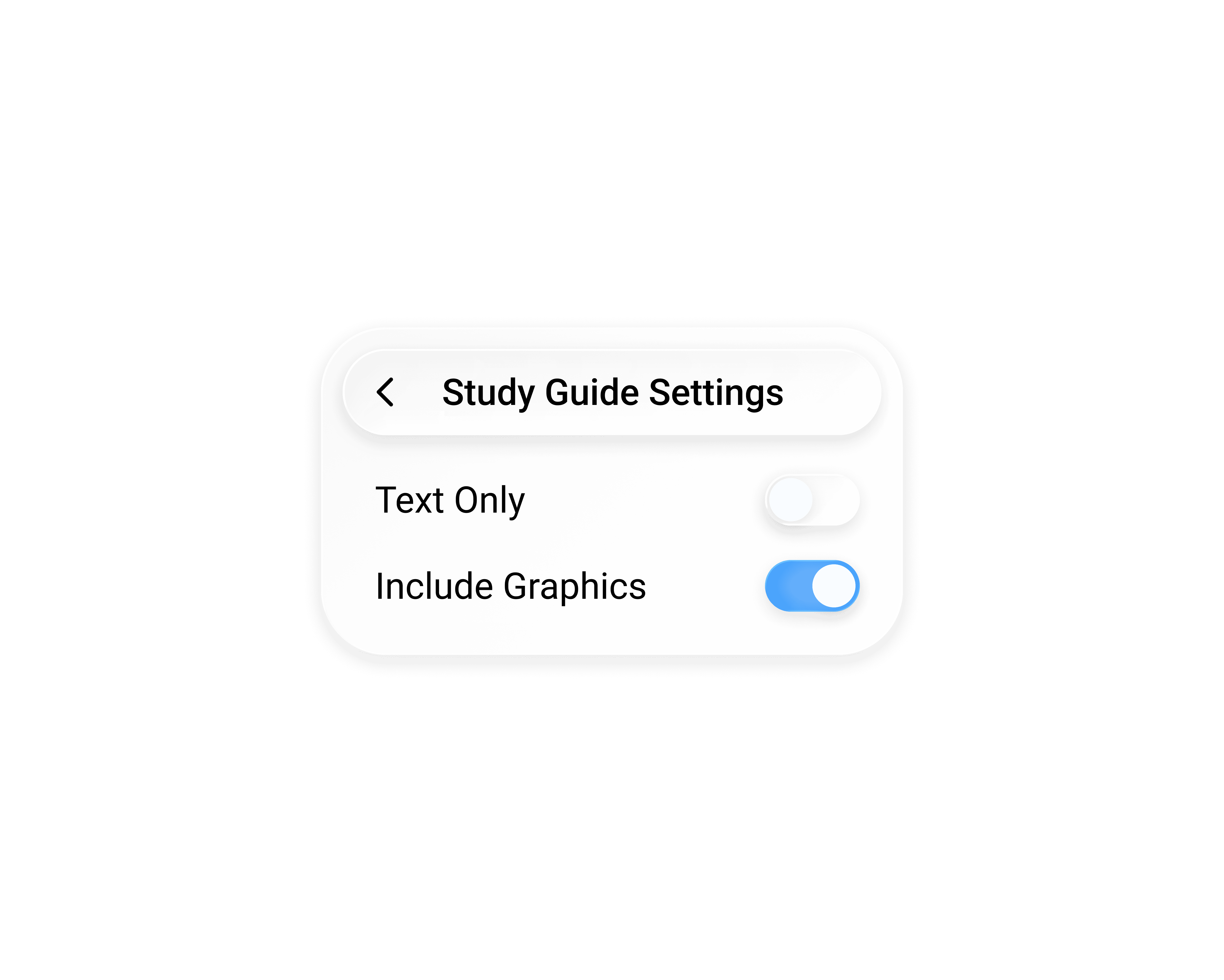
Choose whether to include graphics, then hit generate. Quzon reads the whole source — working through big files in multiple passes so nothing gets skipped — and assembles a structured guide in seconds for notes, a little longer for heavy PDFs.
Read A Guide that Teaches, Not Just Lists
You get a clean, scrollable guide: a section for each major idea, written in plain language, with key terms defined, study tips called out, and infographics drawn for the concepts that need them. It closes with review questions that test whether you actually get it — not whether you skimmed it.
Make It Your Study Hub
Once the guide's ready, it becomes the launchpad: turn it into flashcards, a quiz, a mindmap, a podcast, a presentation or a mock exam in a single tap, each one built from this same guide. Or start Focus Mode and just study. Everything's saved on your machine, so you can come back and read it any time — even offline.

Upload What You've Got — Or Just Name the Topic
Drop in your lectures, notes, any other files, or skip the upload entirely and type the subject you need to cover. Quzon works from your actual material whenever you give it, so the guide matches your course — not a generic version of it.
Pick Your Settings and Generate
Choose whether to include graphics, then hit generate. Quzon reads the whole source — working through big files in multiple passes so nothing gets skipped — and assembles a structured guide in seconds for notes, a little longer for heavy PDFs.
Read A Guide that Teaches, Not Just Lists
You get a clean, scrollable guide: a section for each major idea, written in plain language, with key terms defined, study tips called out, and infographics drawn for the concepts that need them. It closes with review questions that test whether you actually get it — not whether you skimmed it.
Make It Your Study Hub
Once the guide's ready, it becomes the launchpad: turn it into flashcards, a quiz, a mindmap, a podcast, a presentation or a mock exam in a single tap, each one built from this same guide. Or start Focus Mode and just study. Everything's saved on your machine, so you can come back and read it any time — even offline.


Download
Ready to Study with Quzon?
Ready to Study with Quzon?
Ready to Study with Quzon?
Download the app, drop in your files and get started with everything you need to crush it this semester.

