Study Materials

One Upload, Five Ways to Master it.

One Upload, Five Ways to Master it.

One Upload, Five Ways to Master it.

Every file you upload becomes a full set of study materials —

each format reinforcing the same knowledge a different way, which is exactly how it sticks.

01

Study Guides

Everything that matters, in one place. Quzon distills your lectures, notes and files into one clean, structured guide — every key concept organized, explained, and ready to study from. Instead of flipping between scattered PDFs and half-finished notes, you get a single source of truth for the whole topic.

02

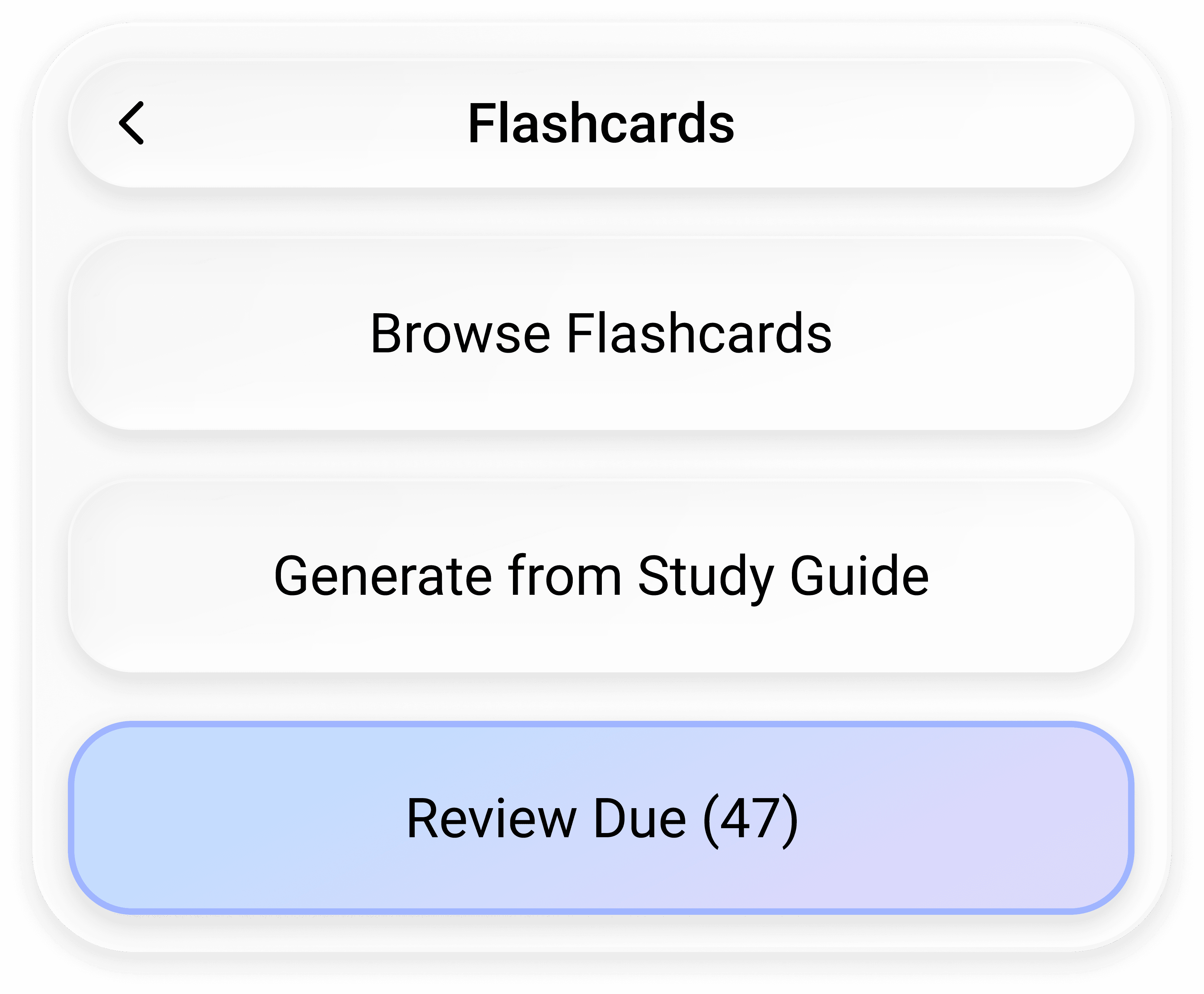
Flashcards

Built on spaced repetition. Quzon builds decks straight from your material, then schedules each card with spaced repetition — resurfacing it right as you're about to forget. That turns passive rereading into active recall, so you study less and remember far more.

03

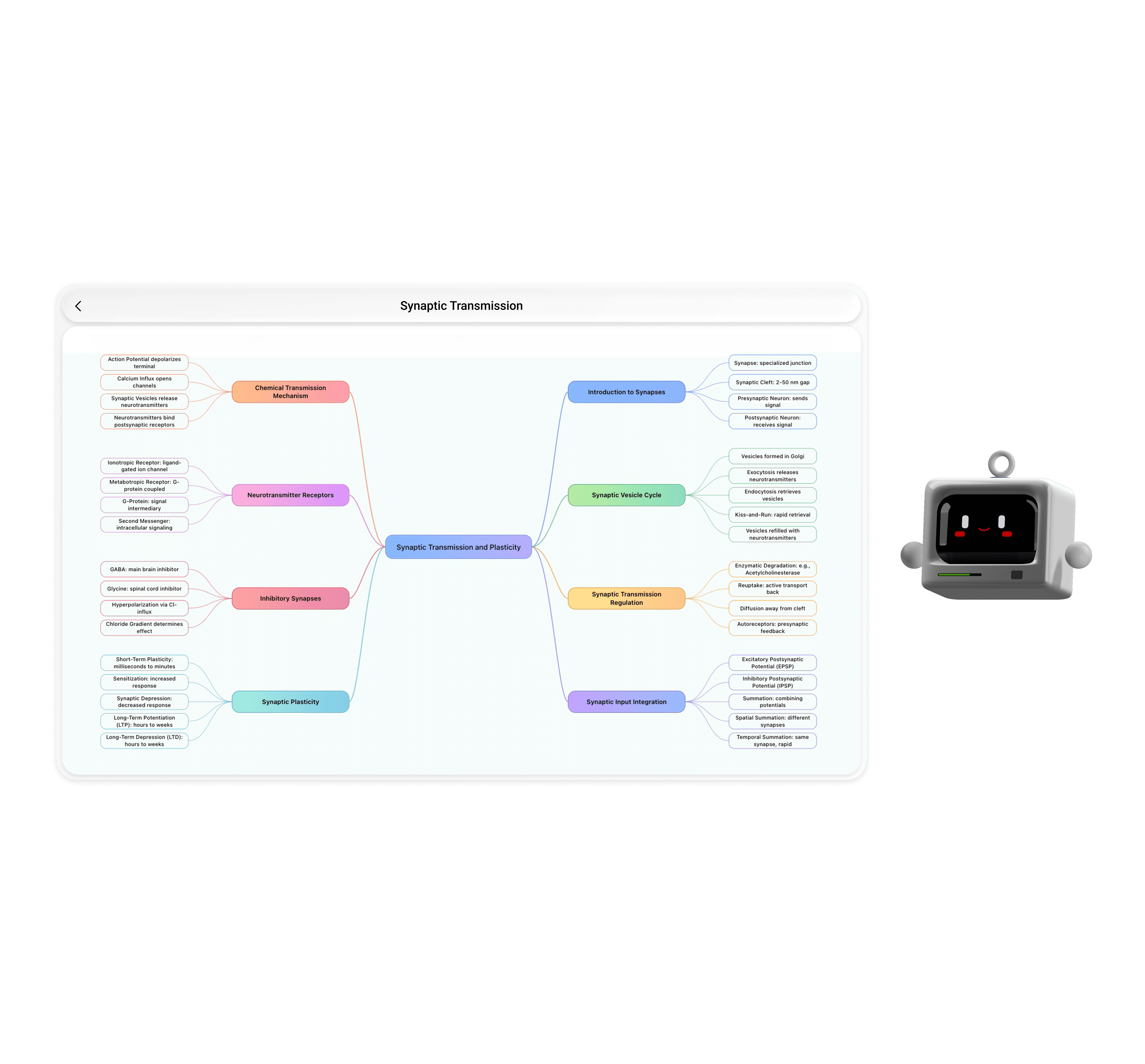
Mindmaps

See how it all connects. Quzon maps your topic into a visual web of linked ideas, showing how every concept connects to the next. Seeing that structure — not just a list of isolated facts — is what lets your brain organize and hold onto it.

04

Podcasts

Learn with your eyes closed. Quzon turns any topic into a natural, multi-voice audio episode that explains your material like a conversation, not a robotic readout. Play it on your commute or at the gym and take in a whole subject hands-free.

05

Presentations

Ready to present in seconds. Quzon generates a polished, structured slide deck from your material — clean layout, key points, logical flow, with zero design work on your end. Ideal for group study, presenting in class, or reviewing an entire subject at a glance.

Savings
Add bank accounts

01

Study Guides

Everything that matters, in one place. Quzon distills your lectures, notes and files into one clean, structured guide — every key concept organized, explained, and ready to study from. Instead of flipping between scattered PDFs and half-finished notes, you get a single source of truth for the whole topic.

02

Flashcards

Built on spaced repetition. Quzon builds decks straight from your material, then schedules each card with spaced repetition — resurfacing it right as you're about to forget. That turns passive rereading into active recall, so you study less and remember far more.

03

Mindmaps

See how it all connects. Quzon maps your topic into a visual web of linked ideas, showing how every concept connects to the next. Seeing that structure — not just a list of isolated facts — is what lets your brain organize and hold onto it.

04

Podcasts

Learn with your eyes closed. Quzon turns any topic into a natural, multi-voice audio episode that explains your material like a conversation, not a robotic readout. Play it on your commute or at the gym and take in a whole subject hands-free.

05

Presentations

Ready to present in seconds. Quzon generates a polished, structured slide deck from your material — clean layout, key points, logical flow, with zero design work on your end. Ideal for group study, presenting in class, or reviewing an entire subject at a glance.

Add bank accounts

Test Modes

Studying is Only Half the Battle.

Studying is Only Half the Battle.

Studying is Only Half the Battle.

Real learning kicks in the moment you're forced to recall the answer. Quzon tests you three ways — each a step closer to exam conditions.

Real learning kicks in the moment you're forced to recall the answer. Quzon tests you three ways — each a step closer to exam conditions.

Ai automation
Quiz Mode
Quiz Mode

Find your weak spots, fast.


Quick, focused questions that pinpoint exactly what hasn't stuck yet, then feed those gaps straight back into your spaced-repetition queue. It's the low-stakes daily check that quietly

keeps you ahead.
Automate invoices
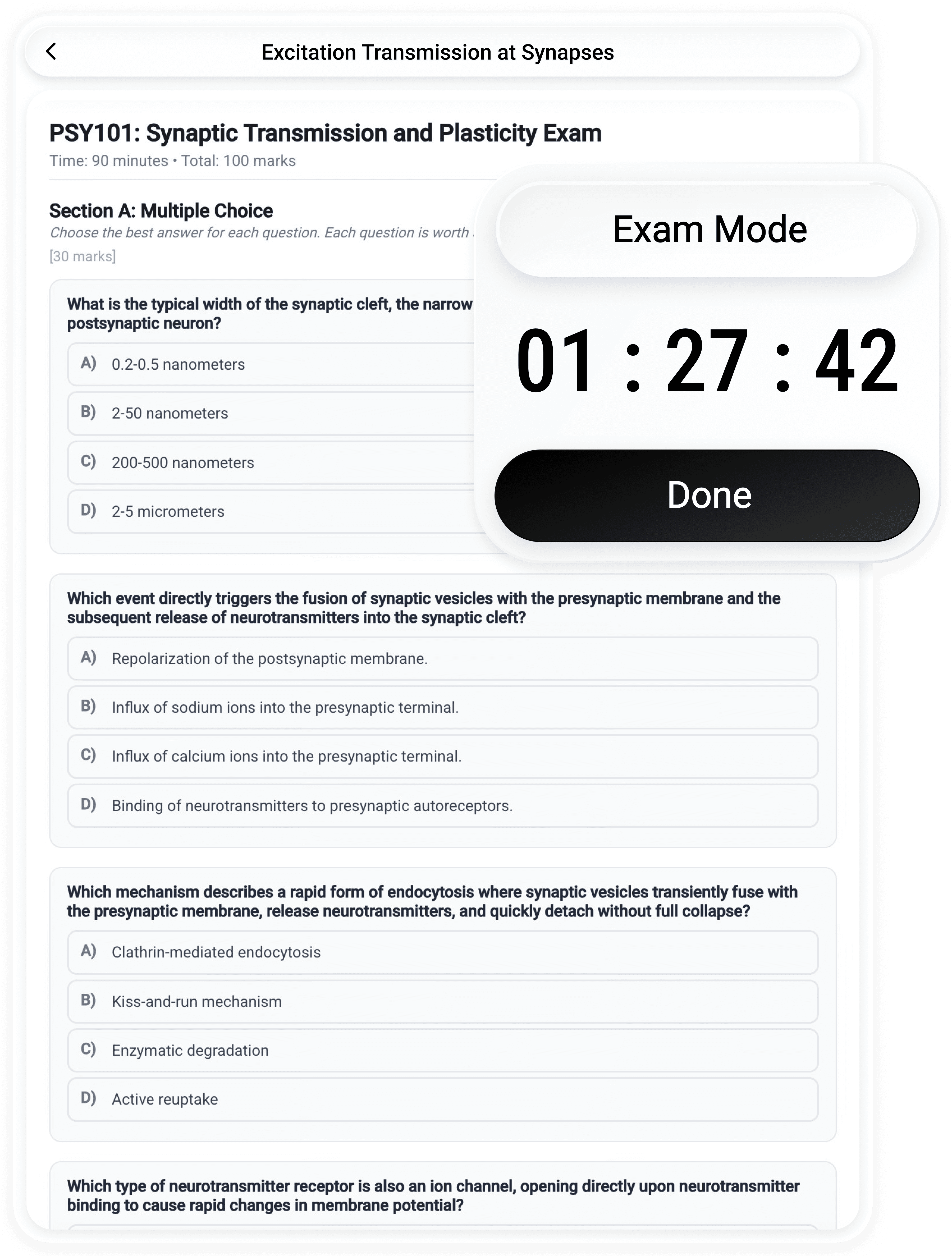
Test Exam Mode
Test Exam Mode

Sit the exam before the exam.


A full, timed mock exam built from your own material in the format of the real thing — proper exam questions, not flashcards. It grades you and shows exactly where you stand, so by exam day you've already done it once and the nerves

are gone.

Track cashflow
Grill Mode
Grill Mode

Explain it. Then defend it.


Built on the Feynman technique: you explain a topic to Quzon in your own words, he scores you and exposes the exact gaps you glossed over — then grills you with follow-up questions until they're gone. It's the hardest, most effective mode to truly test your know knowledge deeply.

The Method

He Doesn't Just Make Material.
He Makes It Stick.

He Doesn't Just Make Material.
He Makes It Stick.

He Doesn't Just Make Material.
He Makes It Stick.

Other apps generate and walk away.

Quzon is built on how you actually learn.

He schedules your memory.

Quzon learns your forgetting curve and times every review for the moment just before it slips — built around your real timetable and exam dates.
Ai workflows
He studies with you.

Meet Quzon — your favorite new study companion that explains, tests and motivates you to reach your goals.

Monitor results

Spaced Repetition

Every review is timed for the moment just before you'd forget. That one mechanism is what turns short-term cramming into knowledge that actually lasts.

Active Recall

You retrieve the answer instead of rereading it. Pulling information out of your own head is the single most proven way to make it stick.

The Feynman Technique

Explain a topic in your own words until it genuinely clicks. If you can't put it simply, Quzon shows you exactly where the gap is.

The Difference

The Things Other Study Apps Can't Do.

The Things Other Study Apps Can't Do.

The Things Other Study Apps Can't Do.

Turning notes into flashcards is table stakes.

These four, among many others, are what make Quzon genuinely different —

and genuinely yours.

Pick Quzon's Personality.

Whether you like him calm and professional, Casual, or fully unhinged — the kind that roasts you when you blank on something you definitely should know. Set the tone, and Quzon shows up in character.

Session card
Add bank accounts
Import & Export, Freely.

Already built decks in Anki or Quizlet?
Pull them in. Made something great in Quzon? Send it right back out. Your flashcards move
with you — no walls, no lock-in.

Add bank accounts
Upload a Real Exam.
Upload a Real Exam.

Drop in a past paper and Quzon either imitates it — building a fresh mock in the exact same style — or solves it, walking you through every answer.
Either way, the real one holds no surprises.
Spending overview
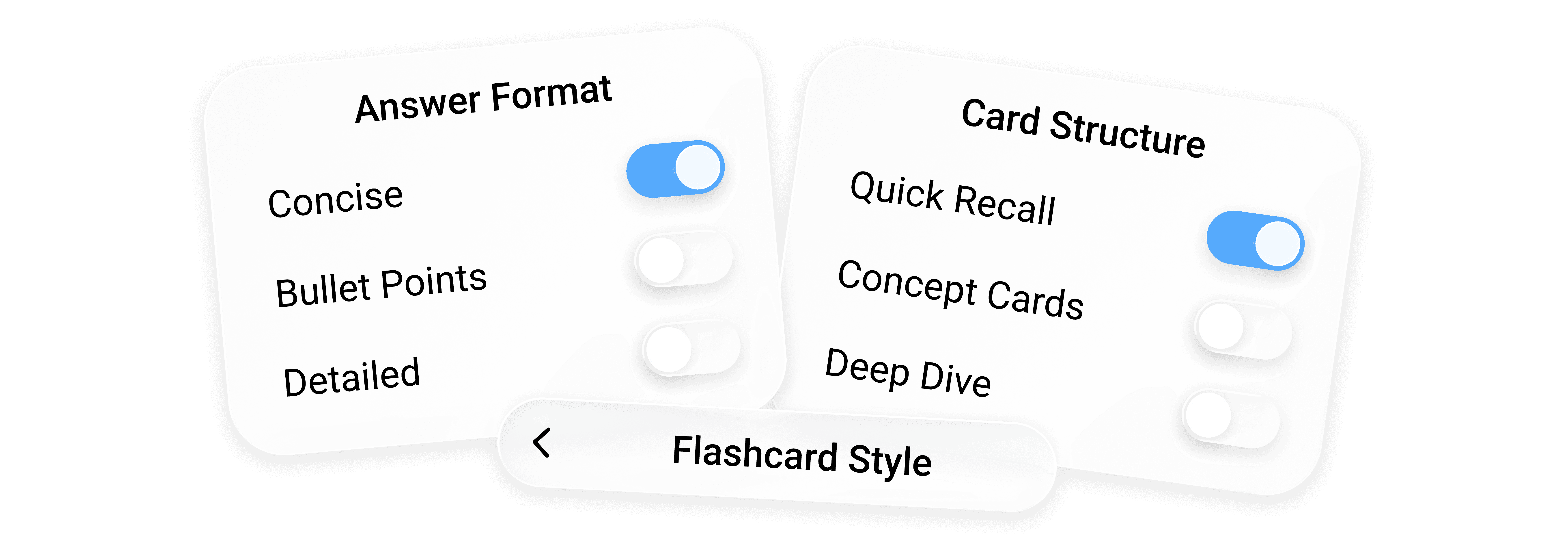
Tailored to You, Not Templated.

Quzon doesn't hand you generic AI cards.
Every set is shaped by your actual material in the preferred style you learn best — so it fits your course and your brain, not a one-size-fits-all template.

FAQs

Got questions? We've got answers.

Got questions? We've got answers.

Got questions?
We've got answers.

Everything you need to know about how Quzon works,

what the app does, and how to get started.

Find Everything you need to know from clear
answers to common questions.

Still stuck?

Still stuck?

Contact our support team

Get help from sales team

Ask the Community

Ask the Community

Join our discord community

GETTING STARTED

What/Who is Quzon?

An AI study companion for Mac and Windows. Upload your lectures, notes or any files and he turns them into study materials, quizzes and realistic exams — built on proven learning techniques so it actually sticks.

What can I upload?

Lecture slides, PDFs, recordings and your own notes — a single document or a whole semester. Quzon works from your real material, not generic content.

How long does it take to generate?

Most study materials are ready in seconds. Drop in a file, pick a format, and you're studying almost right away.

Do I need an account?

Yes — a free account lets Quzon save your library and keep your plan in sync. Signing up takes a few seconds.

FEATURES

Can I import my Anki or Quizlet decks?

Yes — import flashcards from Anki, Quizlet and other apps, and export anything you make right back out. Your decks stay yours, no lock-in.

What makes Quzon different from other AI study tools?

Quzon tailors everything to your material and how you learn instead of spitting out generic cards, can imitate or solve real past exams, grills you using the Feynman technique, and even lets you set its personality.

What languages can Quzon generate in?

Any language you like. Your study materials — guides, flashcards, quizzes, exams — are all generated in your preferred language, so you study in whatever suits you best or is your course language.

How accurate is the content?

Quzon builds everything from your own material, so it stays true to your source — the generation engine has been engineered and tested to deliver far more reliable results than generic AI that pulls from the open internet.
As with anything AI-generated, a quick once-over never hurts.

SUPPORT

Is it free?

Yes — Quzon is free to start, with a generous monthly usage limit that lets you get to know the app. You can upgrade to a Pro or Max plan with higher usage limits.

Is my data private?

Your study library is stored locally on your device, and your uploads are used only to create your own study materials — never shared with other users or sold.

Does it work offline?

Once material is generated, you can review and study it offline. Creating new material needs an internet connection.

Which devices does it run on?

Quzon is a desktop app for macOS and Windows.

Still stuck?

Contact our support team

Ask the Community

Join our discord community

GETTING STARTED

What/Who is Quzon?

An AI study companion for Mac and Windows. Upload your lectures, notes or any files and he turns them into study materials, quizzes and realistic exams — built on proven learning techniques so it actually sticks.

What can I upload?

Lecture slides, PDFs, recordings and your own notes — a single document or a whole semester. Quzon works from your real material, not generic content.

How long does it take to generate?

Most study materials are ready in seconds. Drop in a file, pick a format, and you're studying almost right away.

Do I need an account?

Yes — a free account lets Quzon save your library and keep your plan in sync. Signing up takes a few seconds.

FEATURES

Can I import my Anki or Quizlet decks?

Yes — import flashcards from Anki, Quizlet and other apps, and export anything you make right back out. Your decks stay yours, no lock-in.

What makes Quzon different from other AI study tools?

Quzon tailors everything to your material and how you learn instead of spitting out generic cards, can imitate or solve real past exams, grills you using the Feynman technique, and even lets you set its personality.

What languages can Quzon generate in?

Any language you like. Your study materials — guides, flashcards, quizzes, exams — are all generated in your preferred language, so you study in whatever suits you best or is your course language.

How accurate is the content?

Quzon builds everything from your own material, so it stays true to your source — the generation engine has been engineered and tested to deliver far more reliable results than generic AI that pulls from the open internet.
As with anything AI-generated, a quick once-over never hurts.

SUPPORT

Is it free?

Yes — Quzon is free to start, with a generous monthly usage limit that lets you get to know the app. You can upgrade to a Pro or Max plan with higher usage limits.

Is my data private?

Your study library is stored locally on your device, and your uploads are used only to create your own study materials — never shared with other users or sold.

Does it work offline?

Once material is generated, you can review and study it offline. Creating new material needs an internet connection.

Which devices does it run on?

Quzon is a desktop app for macOS and Windows.

Download

Ready to Study with Quzon?

Ready to Study with Quzon?

Ready to Study with Quzon?

Download the app, drop in your files and get started with everything you need to crush it this semester.